

Why it exists
The Secure Payment page is intentionally separated from the merchant frontend so a compromised merchant site or API endpoint can’t trick a payer into signing the wrong transaction. The page:- Loads payment metadata from the Request API using a one-time token
- Validates every contract address against a hardcoded trusted set
- Decodes the transaction calldata and shows the payer what they’re about to sign
- Resolves payee addresses to ENS where available
- Refuses to broadcast if anything looks off
What the payer sees
1
Open the link
The payer clicks a
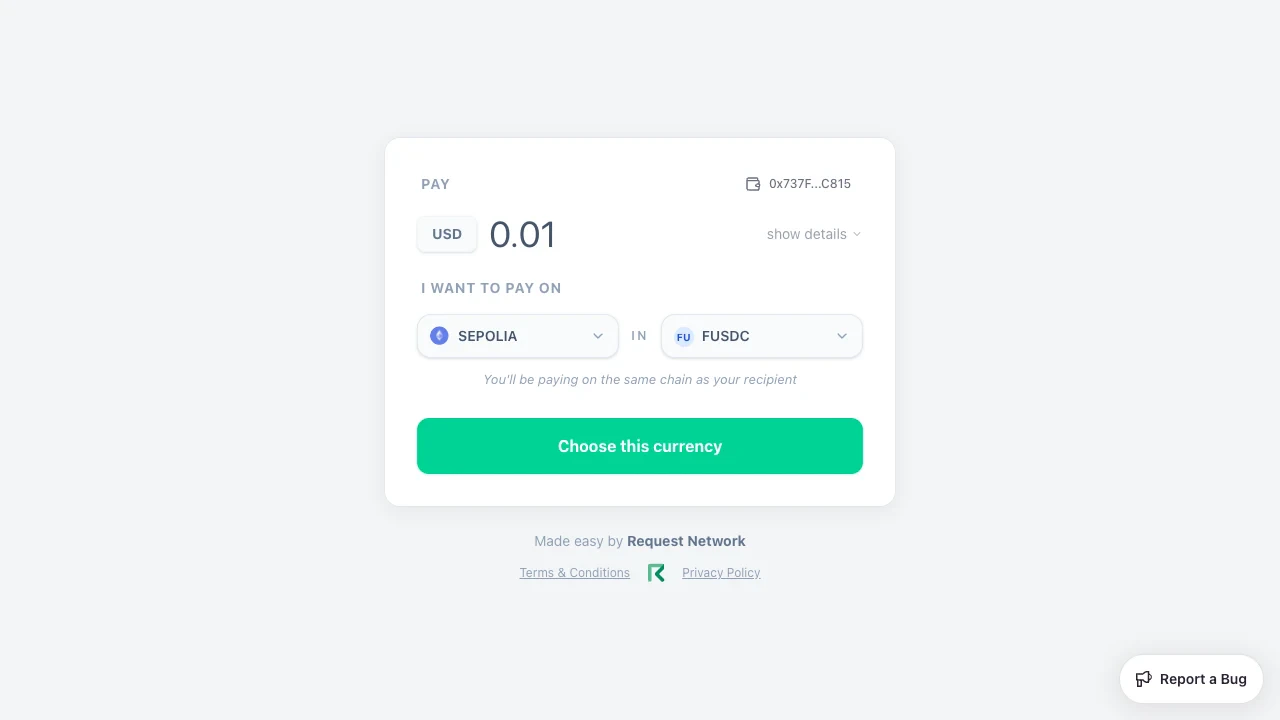
pay.request.network/?token=... URL you generated via POST /v2/secure-payments. The page loads payment details (amount, recipient, reference).2
Connect a wallet
The connect modal lists EVM and Tron wallets side by side.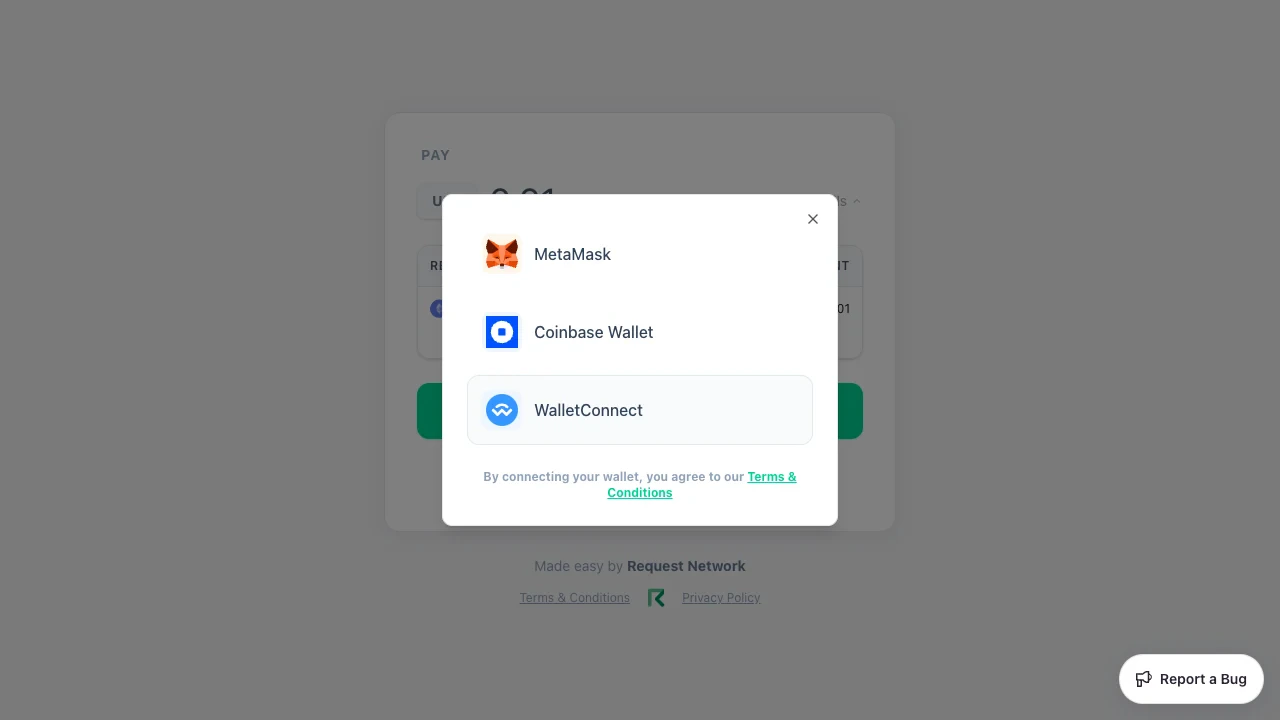
3
Choose a chain and token
The page reads the connected wallet’s balances across supported chains and surfaces every chain × token combo with a sufficient balance. The same-chain options view is shown at the top of this page; for cross-chain payments the layout is identical except the banner reads “You’ll be paying across chain via Li.Fi” (in pink) instead of “You’ll be paying on the same chain as your recipient” (in slate).
4
Approve and sign
For ERC-20s, an approval transaction precedes the payment. The page shows a stepper (connect → confirm → setup → pay) and an optional Advanced view that decodes the calldata for inspection.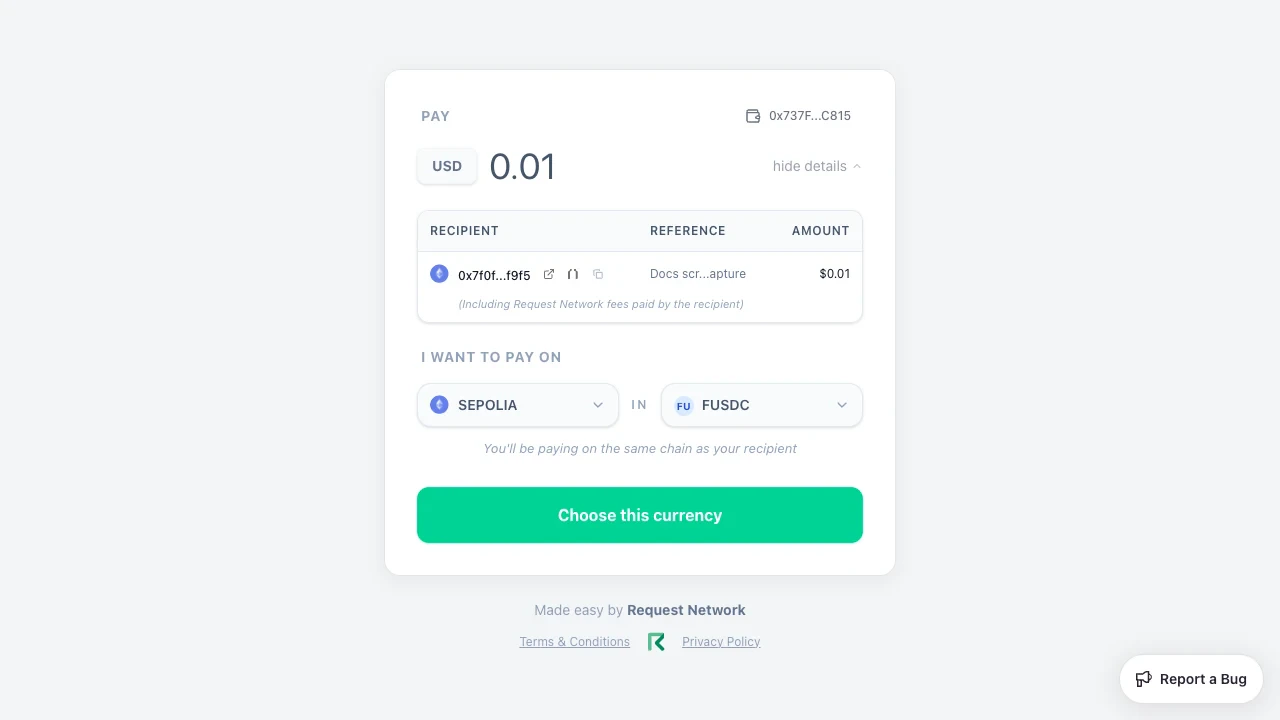
5
Confirm
The success screen shows the source and destination transaction hashes, with explorer links per chain. For cross-chain payments, a Li.Fi badge is displayed. If you set a 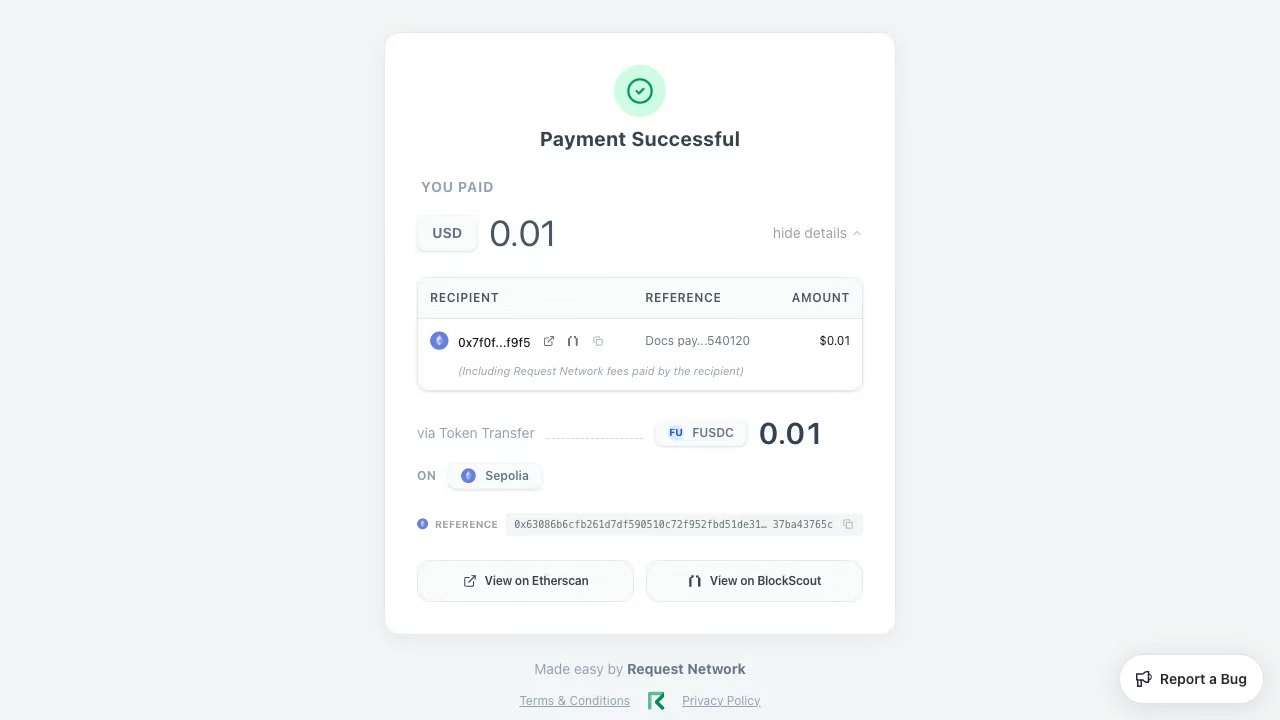
redirectUrl when creating the payment link, an extra button appears at the bottom of the screen — defaulting to “Go Back and Close”, or whatever you set as redirectLabel — that takes the payer back to your site.Wallet support
The connect modal offers a curated wallet list — only the wallets explicitly registered in the app are surfaced; unrecognised injected providers are filtered out (this is what filters TronLink’s EVM injection out of the EVM list).
EVM and Tron are presented as co-equal columns. The first 5 wallets render up-front; the rest appear behind a “show more” toggle.
TronLink also injects an EVM provider that converts Tron addresses to EVM-style. Secure Payment filters this out of the EVM wallet list because it would mis-route Tron payments — Tron is handled exclusively via the TronWeb integration.
Cross-chain via Li.Fi
When the payer’s selected source chain differs from the destination chain, Secure Payment routes through Li.Fi. The UI displays:- “You’ll be paying across chain via Li.Fi” on the options view
- The bridge fee in the cost breakdown
- A Li.Fi badge on the success screen
Tron support
Tron is fully supported as both a source and a destination for single-recipient payments:Multicall payouts
When several outgoing payout links are combined into a multicall payout, the payer opens one Secure Payment link that lists every recipient and settles the whole bundle in a single flow. The page shows a per-recipient breakdown (including each payout’s reference), totals, and — for cross-chain bundles — the Li.Fi routing, then a single confirm step. Bundles settle same-chain, across chains, or as a Tron batch depending on the recipients and the payer’s chosen source.Compliance-gated payments (KYT)
When the merchant has enabled a Know Your Transaction policy on the receiving destination, the secure payment app screens the connected wallet before showing payment options. Wallets that fail the screen see a policy-failure view and cannot reach the sign step. Optional privacy flags can also keep the payment amount and the payee address masked until the screening passes. See Compliance-gated payments for the merchant-side configuration and Hypernative Standard Screening Policy for the default KYT categories and thresholds.Smart accounts & gasless approvals (EVM)
For supported EVM payments, Secure Payment can route through an ERC-4337 smart account derived from the payer’s connected wallet and bundled via Pimlico, so the approval, funding, and payment execute as a single operation. The flow is invisible to the payer beyond the signature step. On this path, ERC-20 approvals are gasless for tokens that support EIP-2612permit (such as USDC) — the payer signs instead of broadcasting a separate approval transaction. Tokens without permit (such as USDT) use a one-time on-chain approval. See Secure payment pages for the full spec.
Smart-account routing is EVM-only; Tron payments use the standard TronWeb path. To pay from an existing Gnosis Safe multisig, use the Safe multisig payments API flow.
Error states
The Secure Payment app handles a few well-defined error states with clear copy:What Secure Payment does not do
- It does not persist transaction history beyond the immediate confirmation screen — explorers and webhook events are the source of truth.
- It does not provide a payee-side dashboard — that’s Dashboard at
dashboard.request.network. - It does not accept payments without a backing Request — the link must originate from
POST /v2/secure-payments.
Open Secure Payment
Open pay.request.network
Try a payment link in the live app.
Related
Multi-chain checkout
The payer experience and how it routes across chains.
Programmatic payment links
The API call that mints these links.
Secure Payments reference
Full request/response schemas.
Dashboard
The payee-side companion.