

What you’ll build
A repeatable workflow for sending one-off crypto payment links to customers, contractors, or partners — without writing a line of code. Sign in to the Dashboard with your wallet, set up your receiving destination once, then generate a fresh payment link each time you need to be paid. Audience: freelancers, SMBs, ops teams, anyone receiving low-to-medium volume crypto invoices who doesn’t want to host their own checkout. Apps used:- Dashboard — sign in, create destination + Client ID, generate links
- Secure Payment — what your customer sees when they open the link
Prerequisites
- An EVM wallet (MetaMask, Coinbase Wallet, WalletConnect) or a Tron wallet (TronLink, Guarda, Trust)
- The wallet that will receive payments
The flow
1
Sign in to the Dashboard
Open dashboard.request.network, connect your wallet, and sign the auth message. Both EVM and Tron wallets work — the Dashboard auto-detects the type and gives you parallel sign-in tabs.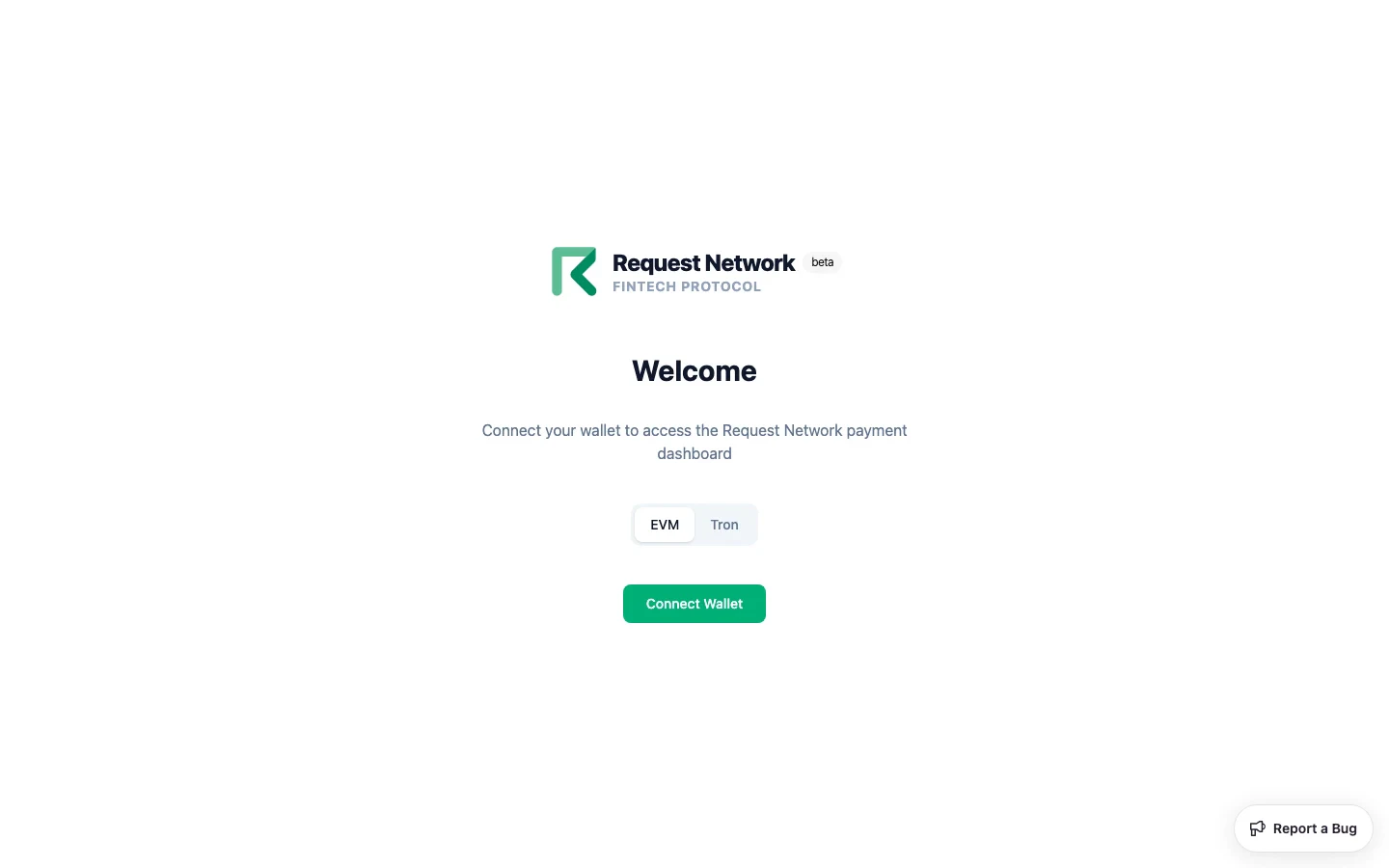
2
Create a payment destination
On the home page, click Set up payment destination. Pick the chain (one of 7 EVM chains plus Tron) and the token (USDC and/or USDT — exact catalog varies by chain; see Supported Chains and Currencies). Confirm.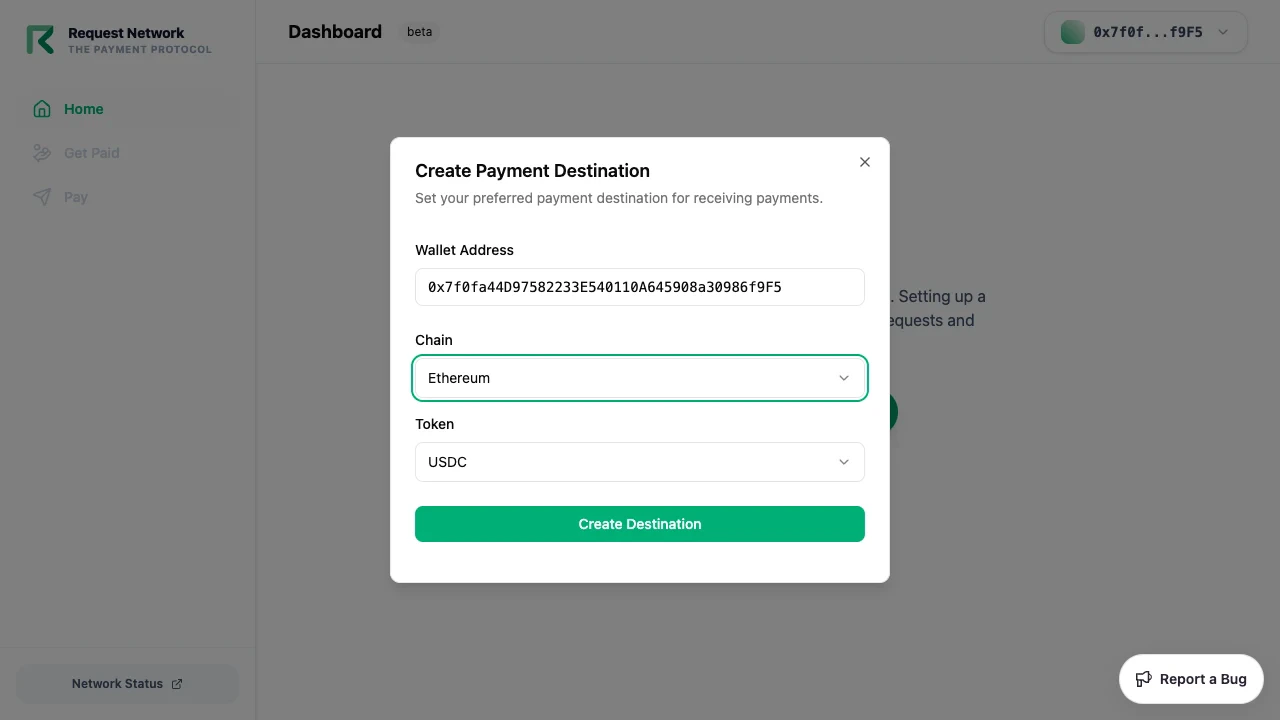
3
Generate a Client ID
Open Manage Destination → Client IDs → Generate New Client ID. Give it a label (e.g. “freelance invoices”). For dashboard-only use, leave Allowed Domains empty. Save the generated value.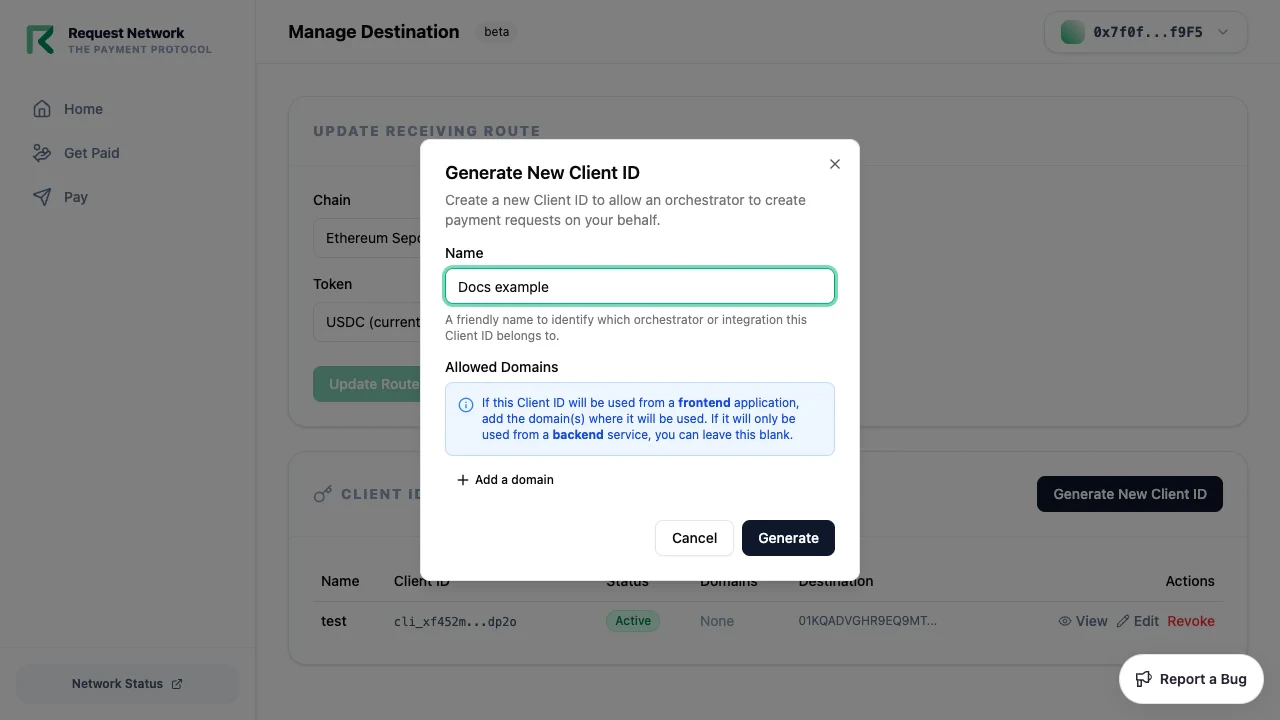
4
Create a payment link from the Get Paid tab
Click Get Paid → New Request. Fill in: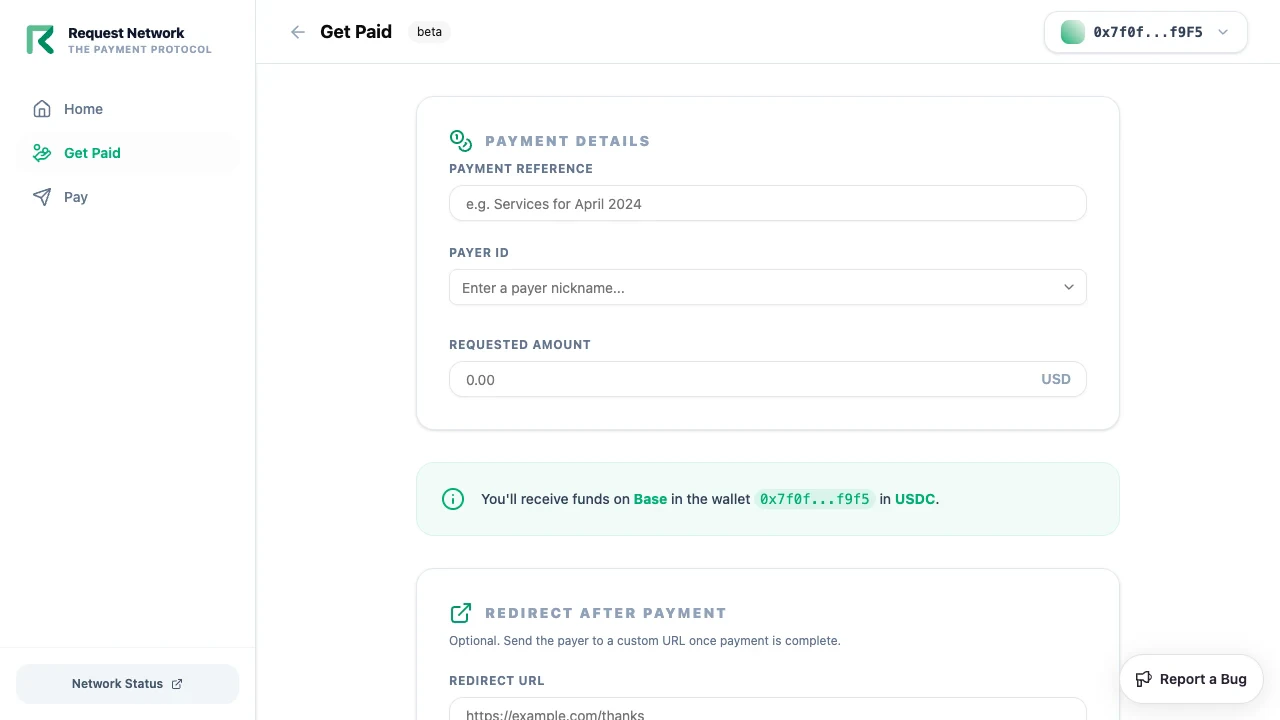
- Amount — what you want to be paid (e.g.
500) - Reference — your invoice number or any tracking string
- Payer identifier (optional) — your internal order or invoice ID
pay.request.network.5
Share the link
Send the URL to your customer over email, Telegram, Slack, or paste it into your invoice PDF. They open it in any browser, connect any supported wallet (EVM or Tron, including cross-chain via Li.Fi), and pay.
6
Track in the Dashboard
The Get Paid list shows status (Pending / Paid) for every link you’ve created, with on-chain transaction hashes for paid ones.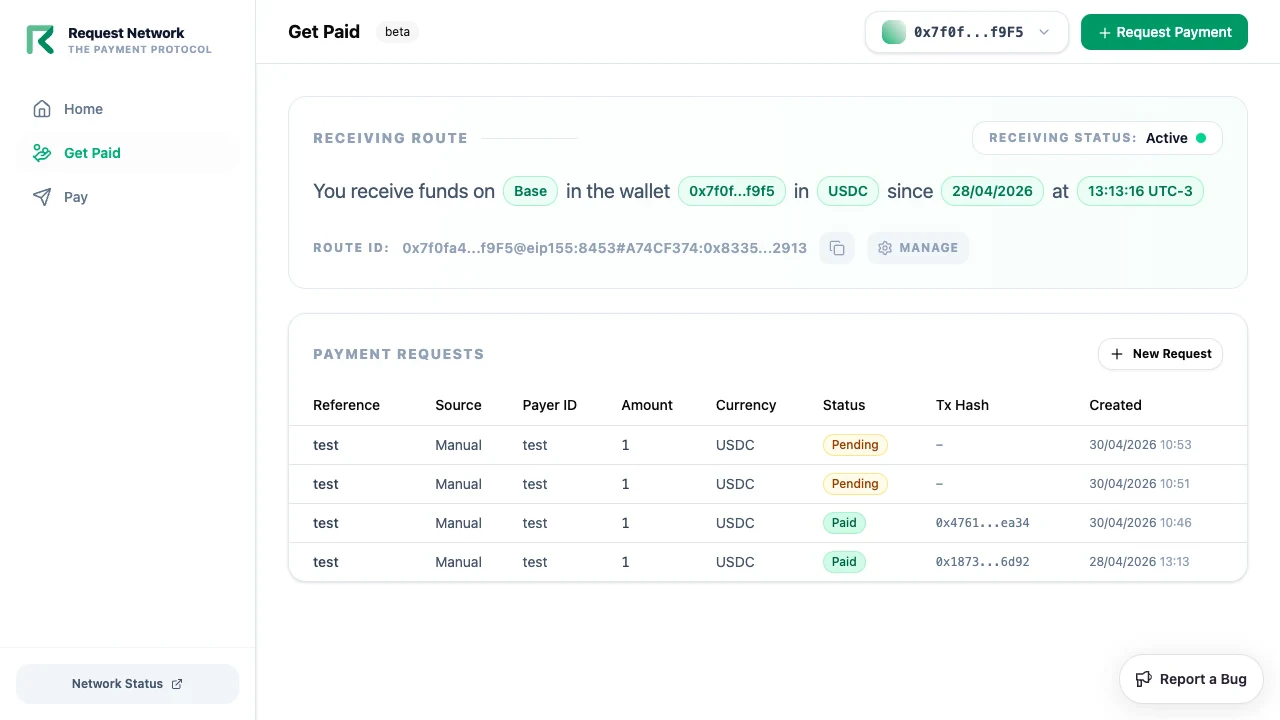
Tron parity
The exact same flow works for Tron. Sign in with TronLink (or Guarda, Trust, WalletConnect-Tron) instead of MetaMask, pick the Tron chain when creating the destination, and pick USDT or USDC. Customers can pay your Tron link from any supported wallet — including paying to a Tron destination from an EVM wallet via Li.Fi swap-to-pay.Tron secure payment links are single-recipient only. To pay multiple Tron addresses, generate a separate link per recipient.
When to graduate from no-code
This flow stays low-friction up to ~50 links per month. Beyond that — or if any of the below applies — switch to programmatic payment links:- You want links generated automatically from your invoicing or e-commerce app
- You need to attribute payments to internal user IDs
- You want webhook-driven order fulfillment / accounting (see Webhook reconciliation)
- You’re paying many recipients at once (see Batch payouts)
Related
Dashboard tour
Full feature reference for dashboard.request.network.
Quickstart
Same flow with API and webhook details for when you outgrow no-code.